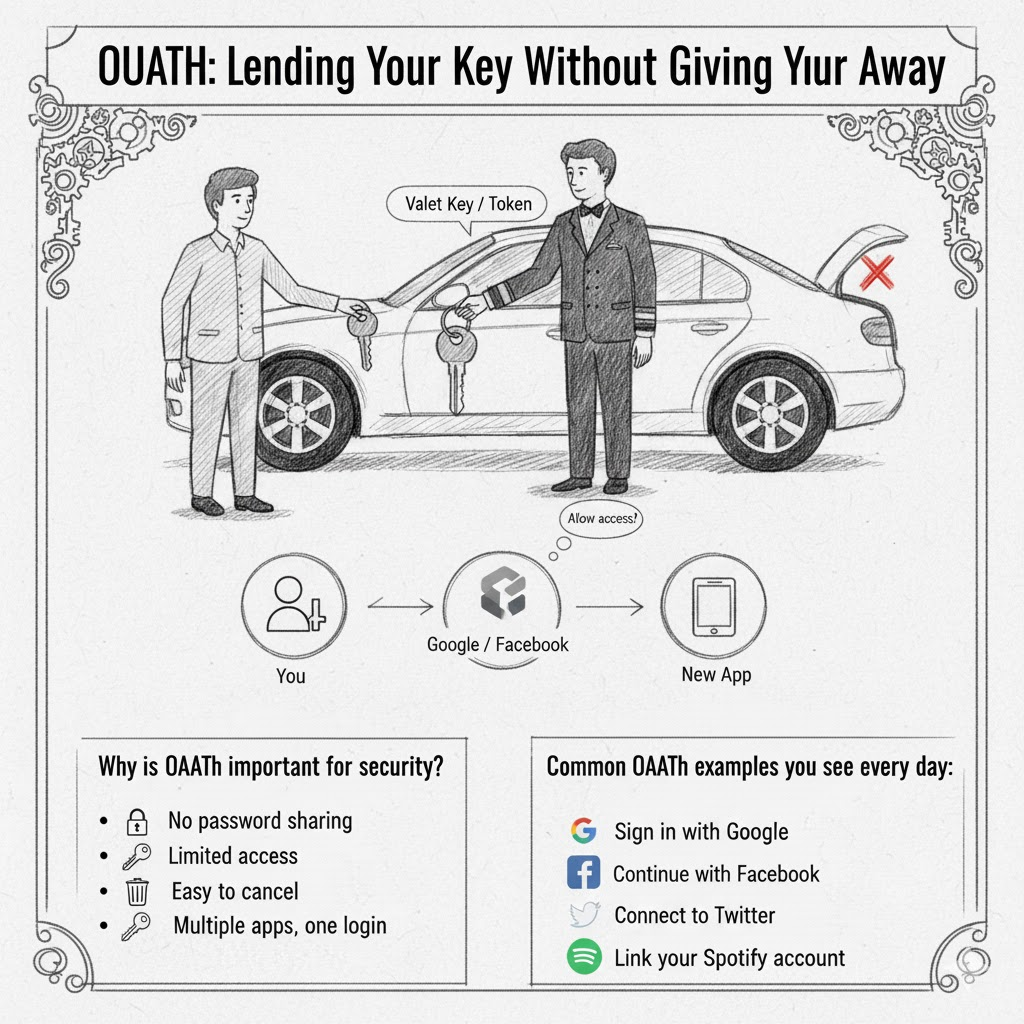
OAuth: Lending Your Key Without Giving It Away
OAuth is a special system that lets you share access to your information without giving away your password. It's like letting someone borrow your toy without giving them the key to your whole house!
What is OAuth?
Imagine you want to print photos from your phone, but the printer is at your friend's house. You could:
- Bad way: Give your friend your phone and your password
- Good way (OAuth): Send just the photos to your friend, keeping your password secret
OAuth works the same way with websites and apps!
A real-life example:
You want to use a new photo editing app. The app says: "Connect to your Instagram to edit your photos!"
Without OAuth (dangerous):
- You give the app your Instagram password
- The app can do ANYTHING: post photos, read messages, delete your account!
- Very risky!
With OAuth (safe):
- Instagram asks: "Do you want to let this app see your photos?"
- You click "Yes"
- The app gets permission to see photos ONLY
- The app never learns your password!
How does OAuth work?
- You want App A to access your stuff on App B
- App B asks: "Should we let App A look at your photos?"
- You say "Yes!"
- App B gives App A a special "permission slip" (called a token)
- App A uses the permission slip to access only what you allowed
It’s like a library card: when you borrow books, you don’t give the librarian your house key! You show your library card, and they let you borrow books. That’s it — they can’t come to your house or use your stuff!
OAuth tokens are like library cards for apps!
Why is OAuth important for security?
- No password sharing: You never tell other apps your password
- Limited access: You choose what the app can do
- Easy to cancel: You can take away permission anytime
- Multiple apps, one login: “Sign in with Google” is OAuth at work!
Common OAuth examples you see every day:
- “Sign in with Google”
- “Continue with Facebook”
- “Connect to Twitter”
- “Link your Spotify account”
What can go wrong?
- Only give permission to apps you trust
- Check what the app is asking for
- If an app asks for too much access, say no!
The three players in OAuth:
- You — The owner of the information
- The app you trust (like Google, Facebook) — Where your information lives
- The new app — Wants to use your information
OAuth lets #3 talk to #2 without you giving away your password!
It’s like a valet key for your car — it lets someone park your car but can’t open the trunk!
問題1: OAuth(オーオース)は、パスワードを共有せずに他のアプリにアクセス許可を与える仕組みである。
問題2: OAuthを使うと、新しいアプリにあなたのパスワードを教える必要がある。
問題3: 「Googleでログイン」ボタンは、OAuthの仕組みを使っている。
問題4: OAuthでは、アプリに与えた許可をいつでも取り消すことができる。
問題5: OAuthを使えば、アプリは自動的にあなたのすべての情報にアクセスできる。


